
SoFi Stadium
SoFi Stadium and Hollywood ParkEvents
3.910.00 Reviews
- Version
- 26.8.5866
- Installs
- 10.00K
- Age Rating
- Everyone
Screenshots

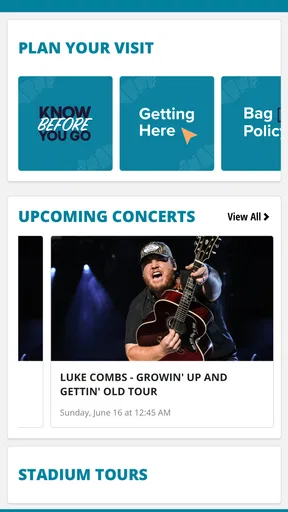
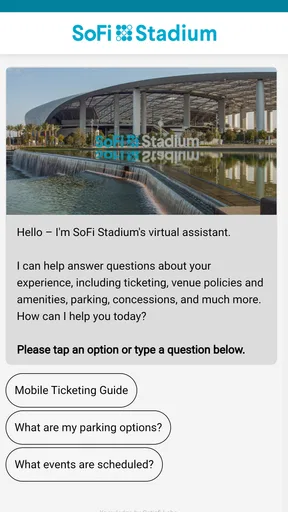
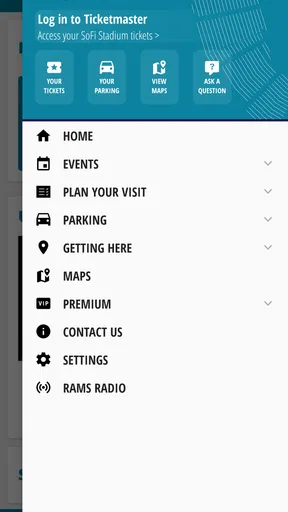
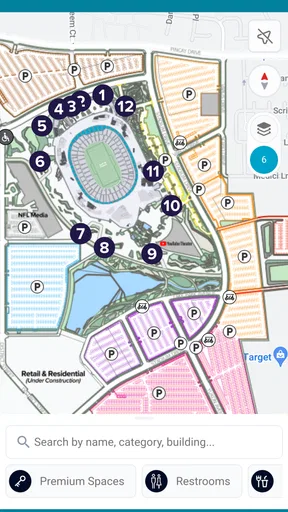
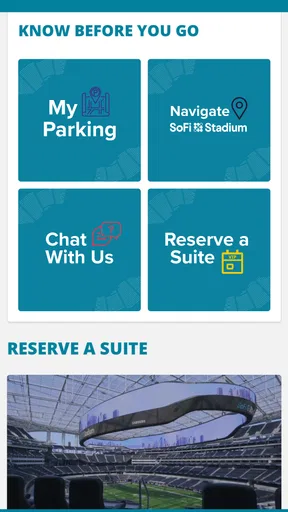
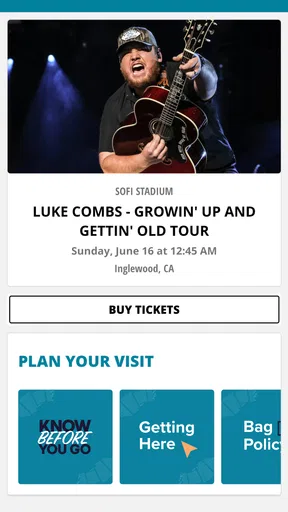
Our Review of SoFi Stadium
 Analysis by Appyee
When I am planning a visit to SoFi Stadium, I want the venue’s own app to answer one practical question quickly: will it make the day easier than relying on a browser, general event app, or scattered messages? SoFi Stadium is a free Events app from SoFi Stadium and Hollywood Park, built around the stadium’s events and concerts rather than around entertainment discovery in general. That focus is its main reason to install it, but it also determines who will appreciate it and who may find it too narrow.
I approached it as a companion for a real outing, not as a replacement for every tool on my phone. The useful test is whether it helps before leaving home, while moving through a busy venue, and when plans change. It is listed for everyone, works on Android devices running at least version 10, and has reached over ten thousand installs. Its average rating is 4.1 from around thirty-five ratings, with seven written reviews, so there is some public feedback to consider, although not enough to treat the score as a complete picture.
How I Decided Whether It Was Worth Keeping
My first decision criterion was relevance. A stadium app has value only when I am actually attending something there or preparing for a visit. Unlike a broad ticket marketplace, this app is not meant to help me compare venues across a city. Unlike a general map, it is not my main tool for navigating every part of Los Angeles. Its purpose is much more specific: keep stadium-related information close at hand.
The second criterion was timing. I would use it differently a week before an event than I would at the entrance. Beforehand, I want to check the event context and organize my plans. On the day itself, I care about reducing the number of separate searches I need to make. That makes a dedicated venue app potentially useful even when I already have a ticketing app, maps, and messages open.
The third criterion was friction. A free download is easy to justify, but an app can still be inconvenient if it forces me to switch between too many screens or if I only remember it after arriving. I found the strongest reason to install it is preparation: open it before leaving, look through the event-related information you need, and avoid treating it as something that will magically solve every travel or ticket problem at the gate.
The app is currently identified as version 26.1.4893. That detail matters less than the way I use it, but it tells me that this is an actively versioned venue companion rather than a static information page. I would still keep my ticket details and basic travel plan available elsewhere, because a stadium visit involves more than the venue’s own content.
What It Does Best for an Actual Stadium Visit
The clearest strength is concentration. When an app is made specifically for SoFi Stadium, I do not have to begin with a generic search and then decide which result is official. That small distinction becomes useful when I am checking details shortly before an event, especially if several pages, social posts, or third-party listings are circulating.
I also like the separation between venue information and general event discovery. If I already know I am going to SoFi Stadium, I do not need a marketplace to persuade me to attend something else. I need a focused reference point for the place I am visiting. The app’s Events category fits that use well: it keeps the experience connected to the stadium rather than making the venue just another result in a large catalog.
A realistic everyday scenario is a concert day with two other people. In the morning, I would open the app to orient myself around the event, then share the practical plan with the group through our usual messaging app. Later, if one person arrives separately, the app remains the venue-specific reference while messaging handles coordination. This division is important: the app supports the visit, but it does not replace the communication tools that make group plans work.
Another useful workflow is to check information before leaving rather than waiting until the network is busy near the stadium. I would review the app at home, note anything that affects my timing, and keep my phone charged. That is not a glamorous feature, but it is an effective habit. Venue apps are most helpful when they reduce uncertainty before the crowd is already moving.
The best use of this app is as a single venue-focused starting point, not as the only app you carry to an event. That distinction prevents disappointment. I would use it for stadium context and event-related orientation, then use a map for the journey and my ticket provider for ticket-specific tasks.
Small Advantages That Are Easy to Miss
One non-obvious advantage is mental simplicity. On an event day, I may already be dealing with parking decisions, meeting points, battery concerns, and messages. A dedicated app reduces the need to remember which general website contained the stadium information I wanted. Even if I open it only briefly, that reduction in searching has practical value.
A second advantage is trust of context. When I search the web, I may find old articles, unofficial advice, or pages written for a different event. A venue-developed app gives me a more direct place to begin. I still read information carefully, but I am less likely to confuse a general stadium guide with something intended for my visit.
A third insight is that the app works best when paired with a personal checklist. I would not simply install it and assume the visit is organized. Instead, I would use it to prepare three things: the event I am attending, the information I need to confirm before departure, and the details I still need from other apps. This makes its limits visible and stops me from expecting it to manage transport, group communication, and ticket storage all at once.
That workflow is especially helpful for occasional visitors. Someone who attends events regularly may already have a routine and remember the venue layout. A first-time or infrequent visitor benefits more from having the official venue context in one place, even if they continue using familiar tools for everything outside the stadium.
Where General Alternatives Still Have the Edge
The usual alternatives are not direct substitutes, and that matters. A ticketing service is generally the better place to manage a purchase, inspect ticket terms, or handle account-related ticket tasks. A maps app is better for comparing routes, estimating travel time, and coordinating a journey from a specific address. A general event platform is better when I am still deciding what to attend across different venues.
If my priority is discovering concerts throughout a region, this app is too specialized. I would rather use a broad event service that lets me compare dates and locations, then turn to the stadium app after choosing SoFi Stadium. The dedicated app wins after the venue becomes part of my plan; it does not necessarily win during the discovery stage.
It may also be the wrong choice for someone who wants one universal event wallet. If I attend many venues, each with its own application, adding another venue-specific download can make my phone feel fragmented. In that situation, I might prefer a general ticketing or calendar workflow and install this app only for a particularly important visit.
There is also a trade-off between official focus and breadth. A stadium app can be more relevant to one location, but it naturally covers less than a citywide service. I would not use it to compare restaurants, plan a complete day around Los Angeles, or replace a navigation tool. Those are not failures so much as boundaries, and knowing them helps me decide whether the download is worthwhile.
What Switching to It Actually Involves
Because the app is free, the financial cost of switching is low. The real cost is attention: downloading another app, remembering to open it, and deciding which information belongs there versus in my ticketing, maps, calendar, or messaging apps. For a single event, that may feel unnecessary. For a major visit where I want venue-specific information close by, the small setup effort is easier to justify.
I would not delete my existing tools after installing it. A smoother approach is to give each app one job. I would keep the ticketing app for admission details, maps for getting to the stadium, messages for meeting people, and SoFi Stadium for venue-centered event information. This arrangement avoids the common mistake of expecting one specialized app to become a complete travel assistant.
There is a battery and connectivity consideration too, even without assuming anything about the app’s technical behavior. Large events put pressure on a phone through navigation, photography, messages, and ticket access. I would open the stadium app before arriving, charge the phone, and keep essential information accessible through the tools that already handle it. That preparation is more reliable than depending on any one app at the busiest moment.
For families, the age rating of Everyone makes the app broadly approachable. That does not remove the need for an adult to organize tickets and meeting plans, but it means the app is not positioned as an adults-only product. I can imagine using it with a family group where one person checks the venue information and another handles transportation.
Who Should Install It, and Who Should Skip It
I would recommend installing it if SoFi Stadium is the destination for an upcoming concert or event and you want an official, venue-specific reference. It is also a sensible choice for occasional visitors who would rather start with a focused app than search through general results. The free price makes trying it a low-risk decision, particularly before a significant outing.
I would be more selective if I attend many different venues and dislike maintaining separate apps. In that case, the app may add one more stop to an already crowded planning routine. I would install it only when the event is important enough that venue-specific context is worth the extra step.
I would skip it as my primary event-discovery tool. If I have not chosen a venue yet, a broader service will usually fit better. I would also skip relying on it alone if my main concern is transportation, ticket management, or coordinating a large group. Those tasks belong more naturally to other tools.
The public response is encouraging but modest: the app holds a 4.1 average from around thirty-five ratings. I read that as a useful sign rather than a guarantee. The rating suggests that many users find value in it, while the small number of ratings means my own needs should matter more than the score. For a venue companion, relevance to my specific event is a stronger deciding factor than a decimal average.
My Recommendation After Using It as a Decision Tool
My recommendation is straightforward: install SoFi Stadium when you already have a reason to visit SoFi Stadium, and use it as the venue-specific layer of your event plan. I would not present it as a universal replacement for ticketing, maps, or event discovery. Its value comes from being focused, official in origin, and connected to one stadium rather than trying to cover every possible event need.
The developer, SoFi Stadium and Hollywood Park, gives the app a clear identity. That identity is helpful because I know what kind of information to expect when I open it. The trade-off is equally clear: the narrower the need, the more useful the app becomes. If the stadium is central to my plans, the specialization feels sensible. If it is not, there is little reason to keep another event app on my phone.
I would install it before the event, review the relevant information while I still have time to adjust my plans, and keep my ticket and route available through their usual channels. I would also tell friends that the app is a reference point, not the group’s meeting system. That simple explanation prevents duplicated effort and makes the app fit naturally into an existing routine.
Released on September 7, 2023, and offered free for everyone, it is easy to try without committing money. My final view is positive but deliberately specific: this is a practical companion for people going to SoFi Stadium, not a complete solution for every event-planning problem. If that matches your situation, it deserves a place on your phone before your next visit. If you are looking for broad event discovery or an all-in-one travel organizer, a different category of app will serve you better.
Privacy and Permissions
See what permissions an app requests and how it handles your data.
- Contacts
- read your contacts
- Location
- approximate location (network-based), precise location (GPS and network-based)
- Photos/Media/Files
- read the contents of your USB storage, modify or delete the contents of your USB storage
- Storage
- read the contents of your USB storage, modify or delete the contents of your USB storage
- Other
- view network connections, pair with Bluetooth devices, full network access, control vibration, prevent device from sleeping, modify system settings, read Google service configuration
Verdict
Strengths of SoFi Stadium
- Detailed venue information helps visitors plan events and arrival times.
- Event listings make it easy to check upcoming sports and entertainment.
- Useful stadium details support first-time visitors navigating the venue.
- Official content provides a reliable source for venue-related updates.
- Clean, modern interface makes browsing stadium information straightforward.
Limitations of SoFi Stadium
- Some information may be limited outside major scheduled events.
- Ticket purchasing may redirect users to external services or websites.
- The app offers limited value when you are not attending an event.
- Venue updates and listings may depend on an active internet connection.
- Features can vary depending on the event and your device location.
Similar Picks in This Category
View All
Easy Quran Mp3 Audio Offline
Muslim Worldapp4.7

Invitation Maker: Cards & RSVP
Greetings Island4.9

StubHub - Live Event Tickets
StubHub4.3

Fever: Events & Tickets
Fever Labs4.7

Epic Freebie Games Radar
Arioch Pds - Apps & Games4.4

Invitation card Maker, Design
Splendid App Maker4.9
Frequently Asked Questions
What is the SoFi Stadium app used for?
The SoFi Stadium app is designed to make attending events at the stadium more convenient. Depending on the event, it can provide venue information, event schedules, ticket access, mobile ordering, parking guidance, maps, and updates. It is especially useful for visitors who want to check details before arriving and find important services while inside the stadium.
Can I use the SoFi Stadium app to access my tickets?
For many events, the app or its connected ticketing service may allow you to view, manage, or access mobile tickets. However, ticket availability and the exact process can depend on the event organizer, team, or ticket provider. Before traveling, users should sign in with the correct account and make sure their tickets are downloaded or ready to display.
Does the SoFi Stadium app provide parking and transportation information?
Yes, the app can be helpful for planning your journey to SoFi Stadium by providing parking details, venue directions, and transportation-related information. Parking rules, prices, availability, and entry procedures may change depending on the event. It is best to review the latest instructions in the app before leaving, particularly for major games or concerts.
Can I order food and drinks through the SoFi Stadium app?
At supported events and concession locations, the app may allow guests to browse menus, place orders, and receive instructions for pickup or delivery to a designated area. Availability can vary by section, event, and stadium operations. Users should also confirm payment details, pickup instructions, and any applicable service charges before completing an order.
Is the SoFi Stadium app free, and what permissions does it require?
The SoFi Stadium app is generally free to download, although attending an event, purchasing tickets, ordering concessions, or reserving parking may involve separate costs. The app may request permissions such as location, notifications, camera, or mobile data to support maps, alerts, ticket display, and account features. You can review and adjust permissions in your device settings.
